
Documentos e investigación
MarginCarry
Conserva tus notas de lectura cuando un artículo tiene una nueva versión. Lleva tus resaltados y subrayados de Zotero a una nueva revisión del mismo PDF, revisando cada uno antes de escribirlo.
- Versión
- v0.2.0, 31 oct 2026
- Funciona en
- Zotero 10.0.5 o una versión 10.0.x posterior (escritorio)
- Licencia
- Apache-2.0
La descripción del proyecto que sigue está en inglés.
Cómo se ve
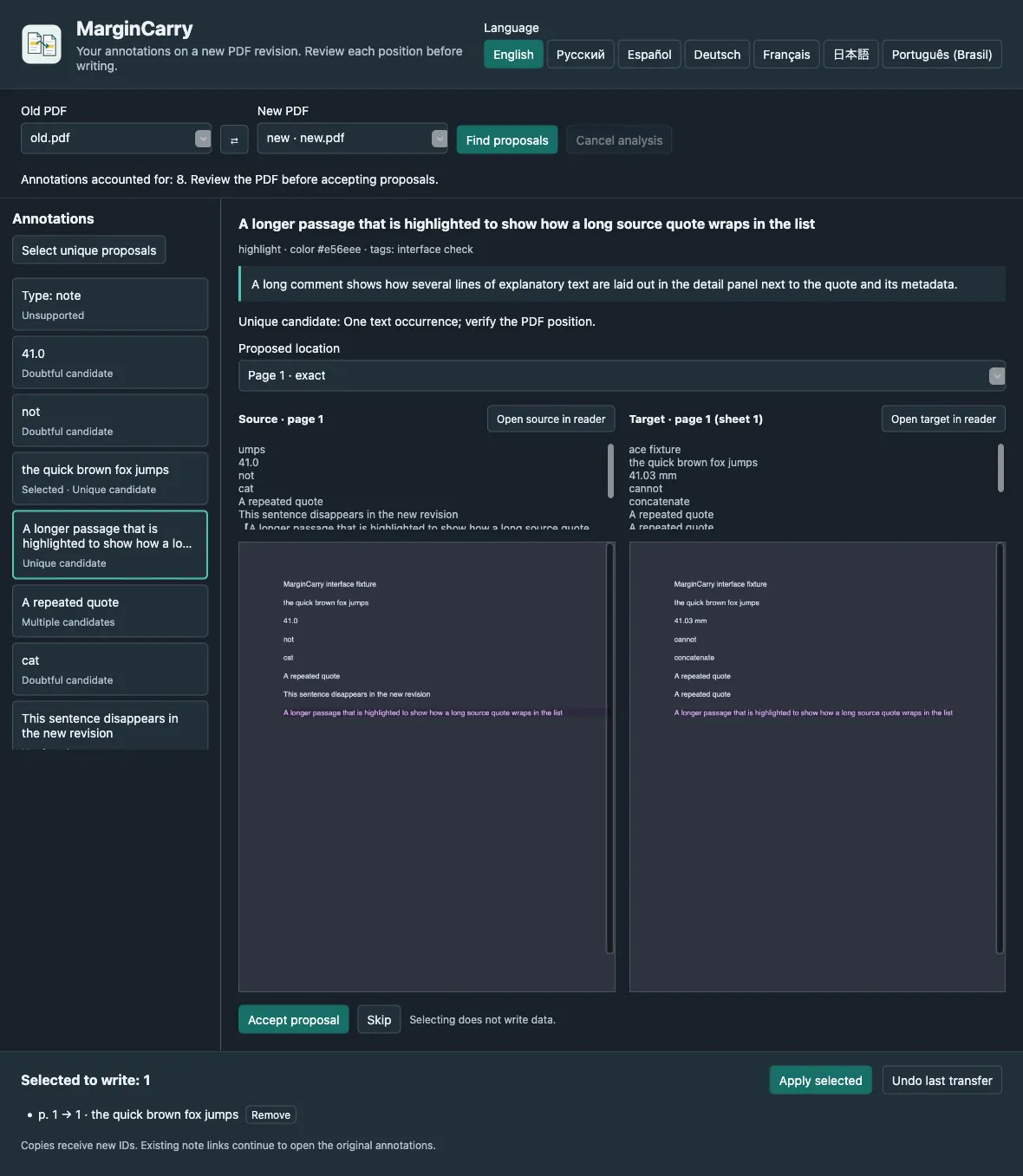
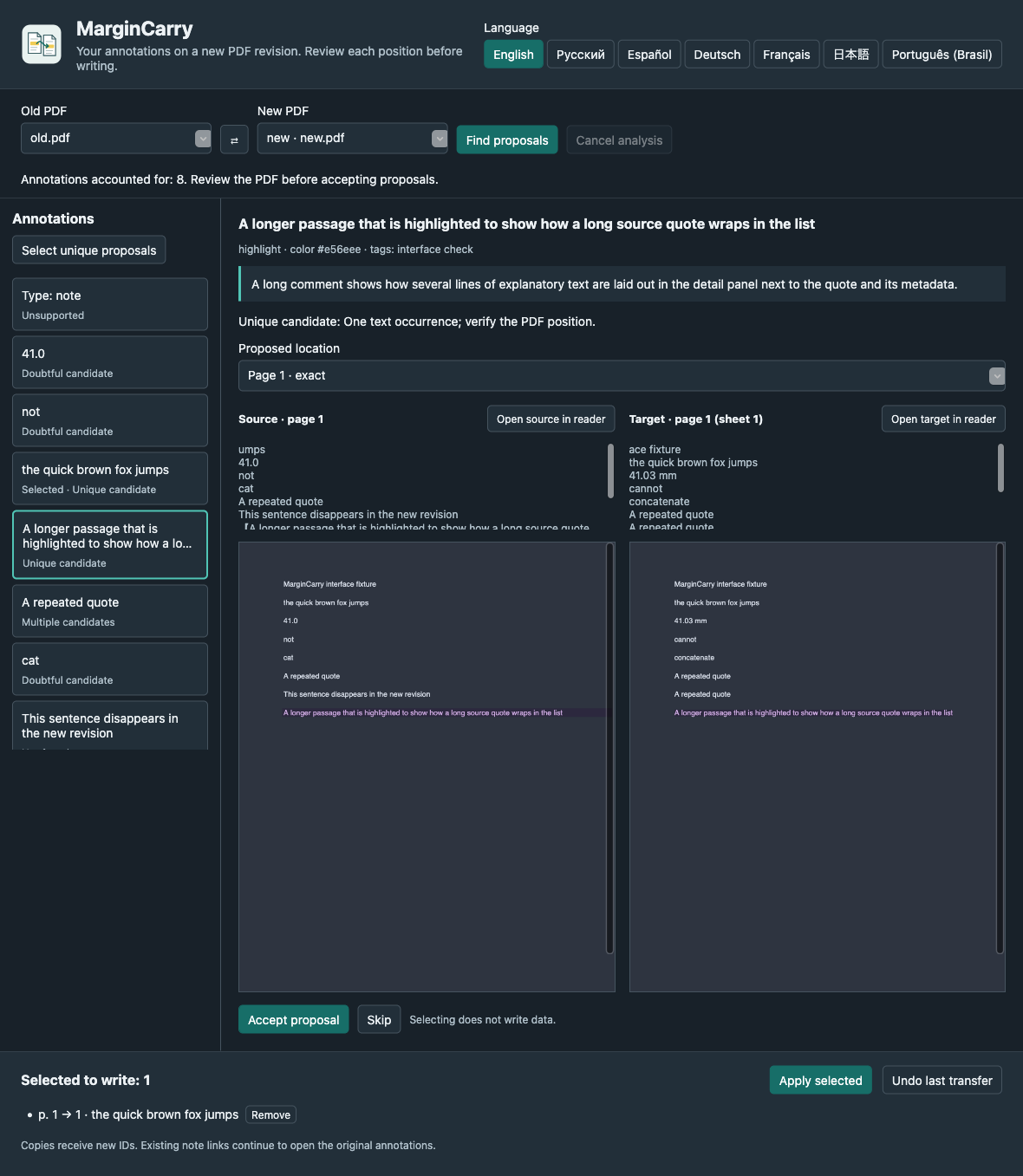
Qué hace
When a preprint or report is revised, your annotations stay on the old PDF. MarginCarry finds each highlighted passage in the new revision, shows the old and proposed positions side by side, and writes only the ones you accept. Originals are never changed, and every transfer can be undone.
Para quién es
- Researchers and students who annotate papers in Zotero and receive updated versions.
- Reviewers who need to compare their notes against a revised manuscript.
Limitaciones
- Only native highlights and underlines that stay on one page. Ink, image, note and multi-page annotations are not transferred.
- Personal libraries only, and two PDF attachments of one item. No group libraries or EPUB.
- Matching is exact: no fuzzy matching and no OCR. Scanned PDFs without a text layer are reported as such.
- Uses internal Zotero reader APIs; a future Zotero release may require an update.
Usos habituales
Move highlights to version 2
Attach the new PDF to the same Zotero item, open the MarginCarry window, and accept the proposals that look right. Comments, colours and tags travel with the copy.
Spot what changed
A quote that no longer exists is reported as not found. A number that changed from 41.0 to 41.2 is not moved onto the new number.
Undo safely
Each transfer is recorded locally. Undo moves exactly that transfer’s copies to the Zotero Trash.
Descargar
Última versión estable v0.2.0, publicada el 31 oct 2026. Notas de la versión de v0.2.0. Datos de versiones consultados el 31 oct 2026 en GitHub Releases.
Zotero
- In Zotero: Tools → Plugins → gear menu → Install Plugin From File…
- Restart Zotero if asked.
Los pasos de instalación están en inglés.
Verificar una descarga
margincarry-0.2.0.xpi.sha256 contiene los hashes SHA-256 de los archivos de la versión. Si el hash coincide, tu archivo es idéntico al publicado. Es una suma de verificación, no una firma del autor: no demuestra quién compiló el archivo.
shasum -a 256 margincarry-0.2.0.xpiPrimer uso
Download the .xpi file. In Zotero, open Tools → Plugins, choose Install Plugin From File… in the gear menu, and select it.
Add the new PDF revision to the same item as the old one.
Open Tools → MarginCarry: transfer PDF annotations…, check Old PDF and New PDF, and press Find proposals.
Compare each proposal, accept or skip it, then press Apply selected and confirm.
Plataformas y cómo se comprobaron
- Zotero 10.0.x on macOSComprobado en funcionamiento
Tested on macOS, including real PDFs in seven languages.
- Zotero 10.0.x on Windows and LinuxCompatibilidad declarada, sin ejecución comprobada
Expected to work as a Zotero plugin, but not verified.
Documentación y soporte
- Documentación
- Código fuente
- Incidencias y soporte
- Licencia (Apache-2.0)
- Registro de cambios
- Todas las versiones
Las preguntas y los informes de errores van al gestor de incidencias del proyecto. Informa de problemas de seguridad como se describe en su política de seguridad.